


If you sell products and simply need to get a page live, choose a website builder with built-in hosting and automatic SSL. Regular shared hosting makes sense when you already have ready-made code or a site on a CMS. A VPS is worth it when you have a technical person on hand and tasks that shared hosting can't handle.
Below, all three options are explained in plain language: what they cost in money and time, what actually drives page speed, who is responsible for security, and how to avoid getting stuck on one platform.
Oleksandr Lutsenko, a product e-commerce practitioner with ten years of experience, launches landing pages in his videos using a builder from his own ecosystem, so his experience applies to that option specifically. We found no dedicated videos on hosting or VPS on his channel, so that part of the article relies on Google's documentation, decisions by certificate authorities, and the terms of Ukrainian hosting providers.
Short answer: five questions to decide
-
No ready-made website and no developer? Choose a website builder.
-
Do your ads need to start this week? A builder: you can put the page together in an evening, and in Oleksandr's video the SSL certificate is issued within 5–15 minutes of connecting the domain.
-
Do you already have an HTML template or a site on a CMS, such as WordPress? You need shared hosting.
-
Do you build landing pages for clients or want to keep the files yourself? A builder with an export feature, or shared hosting.
-
Do you need your own software on the server or custom settings, and is there someone who will set it up and maintain it? Then a VPS.
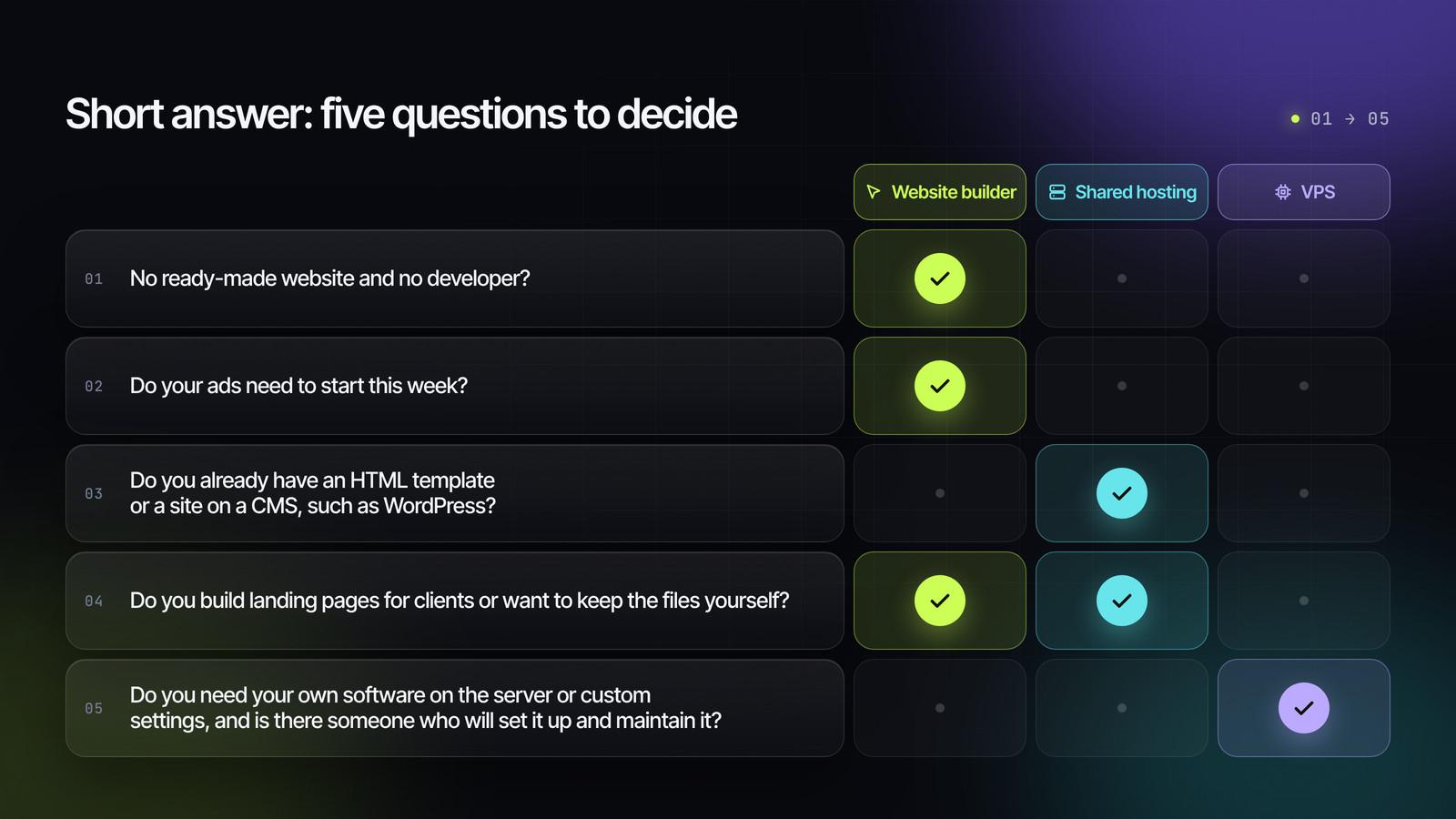
If you answered "no" to questions three and five, the choice almost always comes down to a builder.
Website builder, shared hosting and VPS in plain language
Website builder
A website builder is a service where you assemble a page from ready-made blocks right in your browser. Space for the site, the SSL certificate, updates and security are already part of the service. You're responsible only for the content: text, photos, the order form, ad pixels.
In his 2026 video about launching a product from scratch, Oleksandr shows at the end what such a builder already includes: built-in hosting, SSL, connection of your own domain, and landing page export.

Regular (shared) hosting
Shared hosting means space on a hosting company's server, and you share that server with other customers. You upload your site's files or install a CMS, a content management system such as WordPress. The hosting provider maintains the server, while the site, its updates and its content stay with you.
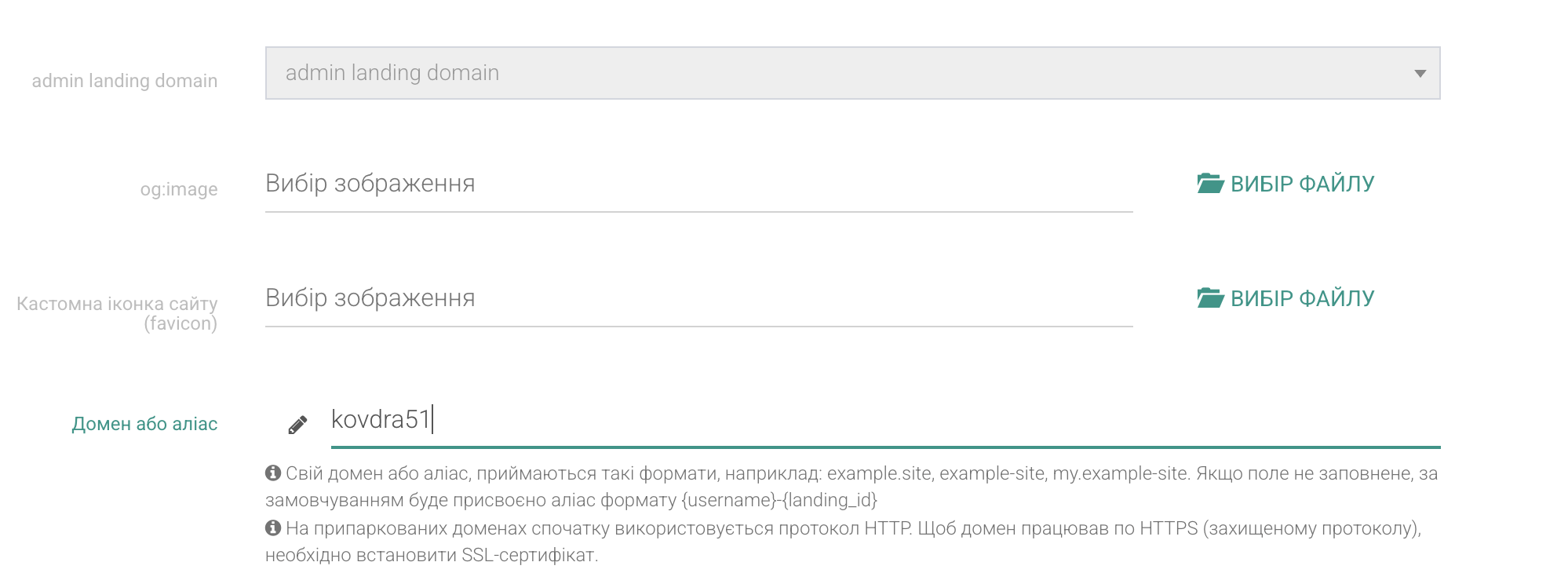
This kind of hosting is managed through a control panel in your browser. There you can add a domain, turn on SSL and upload files.
VPS
A VPS (virtual private server) is a slice of a powerful computer in a data center, reserved for you alone, with full access. You decide what software to install and how to configure everything. Along with that freedom, updates, security, SSL and backups all become your job.
One Ukrainian hosting provider states plainly on its pricing page that its VPS plans come without administration and are aimed at IT professionals and developers. For people who can't administer servers, it recommends a different, managed product.
An analogy: three ways to open a shop
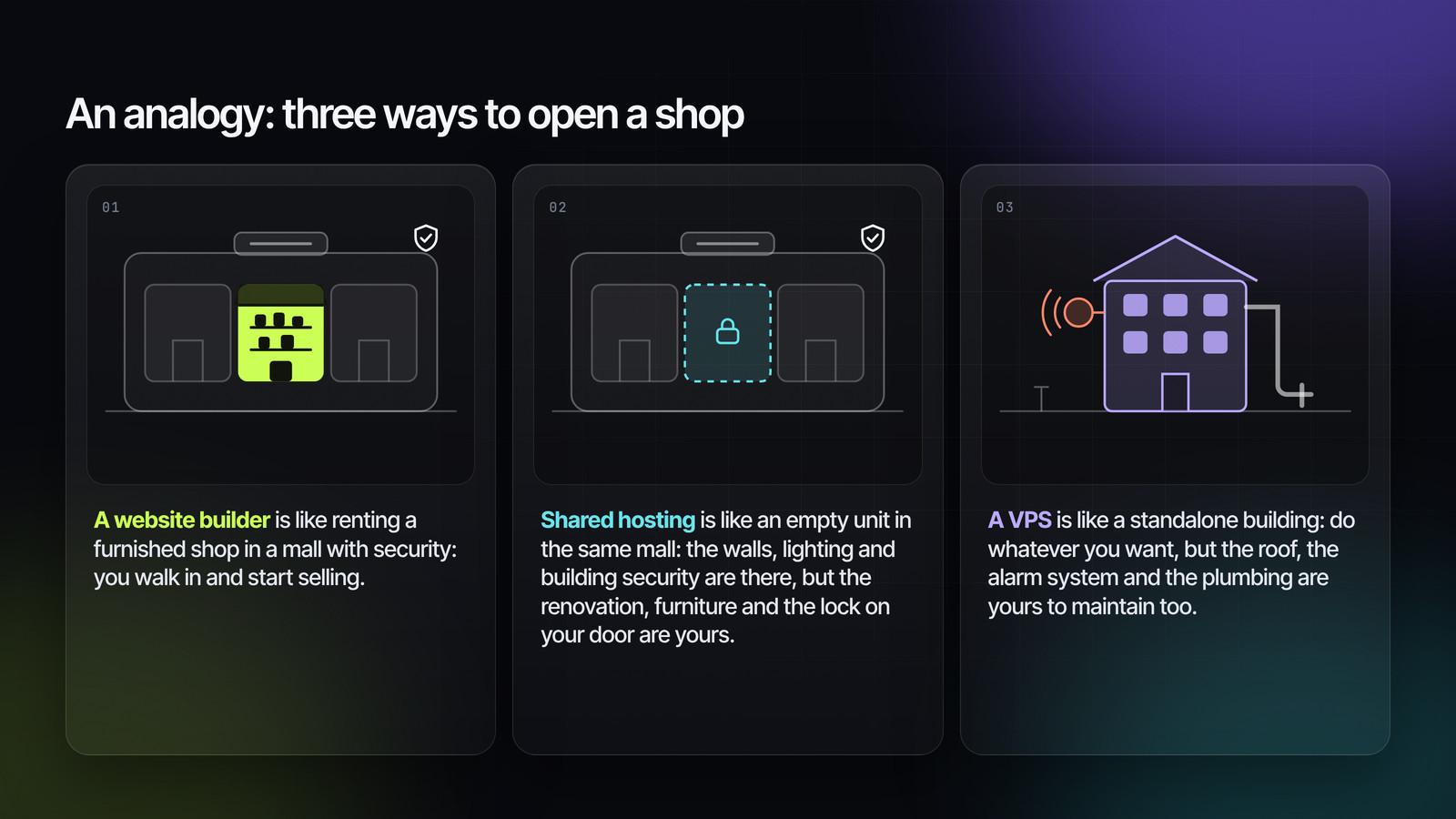
- A website builder is like renting a furnished shop in a mall with security: you walk in and start selling.
- Shared hosting is like an empty unit in the same mall: the walls, lighting and building security are there, but the renovation, furniture and the lock on your door are yours.
- A VPS is like a standalone building: do whatever you want, but the roof, the alarm system and the plumbing are yours to maintain too.
Website builder vs shared hosting vs VPS: comparison
| Criterion | Website builder | Shared hosting | VPS |
|---|---|---|---|
| What it is | An all-in-one service | Space on a shared server | Your own virtual server |
| Technical skills | None needed | Basic: upload files, install a CMS, use the control panel | You need someone who knows how to configure servers |
| Time to launch | An evening for the page; domain connection takes 15 minutes to a day | A few hours, if the site is ready | Depends on the specialist: the server still has to be configured |
| Cost | Many services offer a free plan for one page; paid plans are priced in the hundreds of UAH per month | Entry plans around $3–6 a month | The simplest server around $4–13 or €4–13 a month, plus the administrator's work |
| SSL | Issued automatically | Usually turned on in the panel; paid on some plans | You set it up yourself, including auto-renewal |
| Updates and security | Handled by the service | The host updates the server; you update the site and CMS | All on you |
| Backups | Handled by the service | Often included in the plan; check how often | You set them up or buy them separately |
| Landing page speed | Sufficient if the photos are light | Sufficient if the photos are light | Spare capacity that a single page rarely needs |
| Flexibility | Within the service's features | Any site built on standard technologies | Any software and settings |
| Platform dependence | Highest; your own domain and export reduce it | Low: the files are yours | Minimal |
| Best for | An owner who sells products and wants to launch fast | Someone who already has a site or template | A team with a technical person and non-standard tasks |
Prices are approximate, based on the websites of Ukrainian hosting providers (checked in September 2026); providers in other countries may charge differently. Check the current terms before paying, as plans change often.
Who is responsible for what
| Task | Website builder | Shared hosting | VPS |
|---|---|---|---|
| Keeping the server running | The service | The host | The host covers the hardware; everything else is you |
| Software updates | The service | The host updates the server; you update the CMS and plugins | You |
| SSL and renewal | The service | The host's panel; check auto-renewal | You |
| Backups | The service | Depends on the plan | You |
| Protection against hacking | The service | The host protects the server; you look after passwords and the CMS | You |
| Checking that the site is up | The service | The host monitors the server | You |
| Copy, photos, form, pixels | You | You | You |
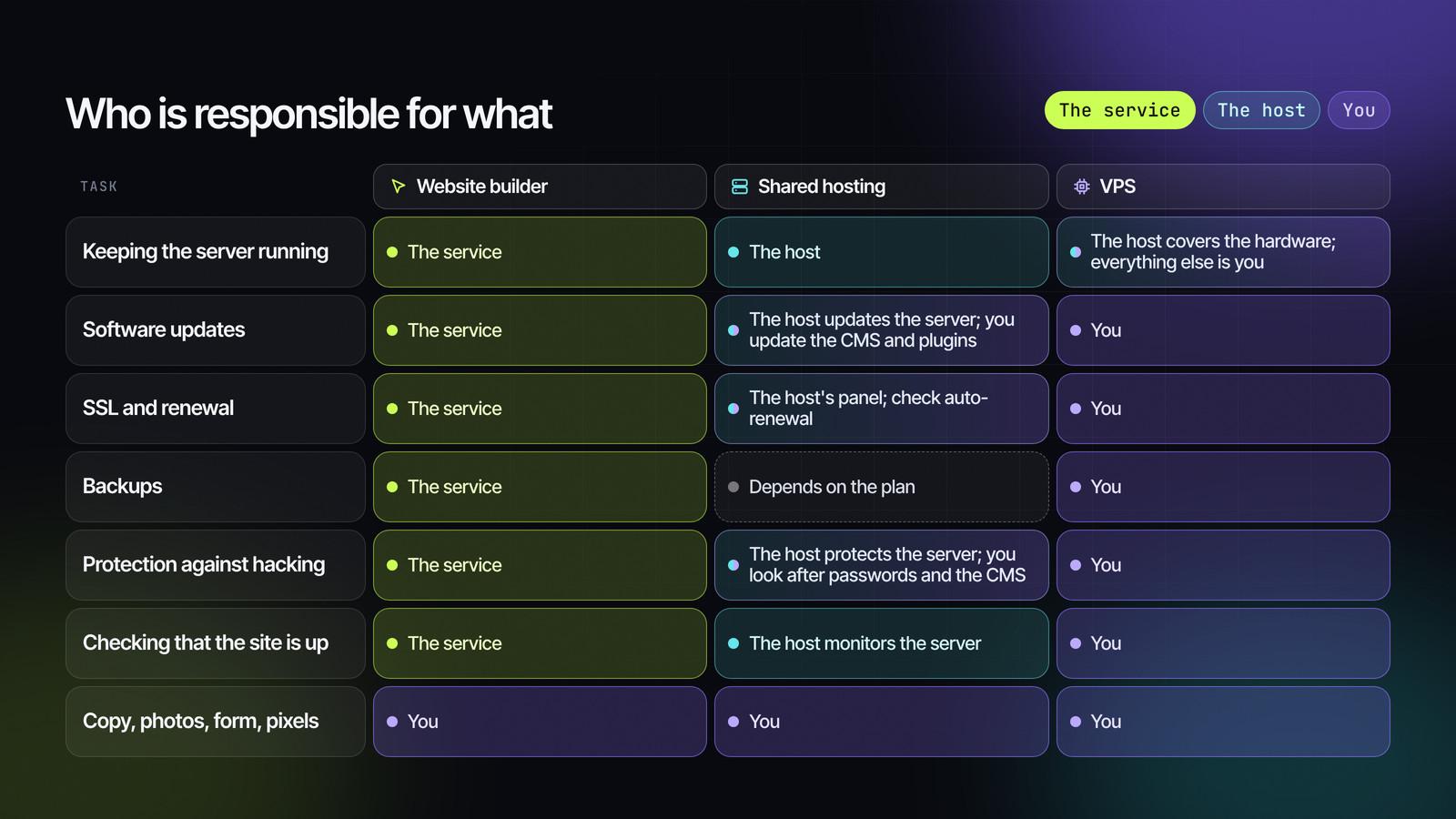
The last row is the same in every column. No option will write your offer for you or check that a lead has reached your CRM.
The rest of the table shows how much of your time will go into the technical side. With a builder, almost none. With a VPS, every row is someone's work that you pay for, either in money or in your own evenings.
Speed: what it really depends on
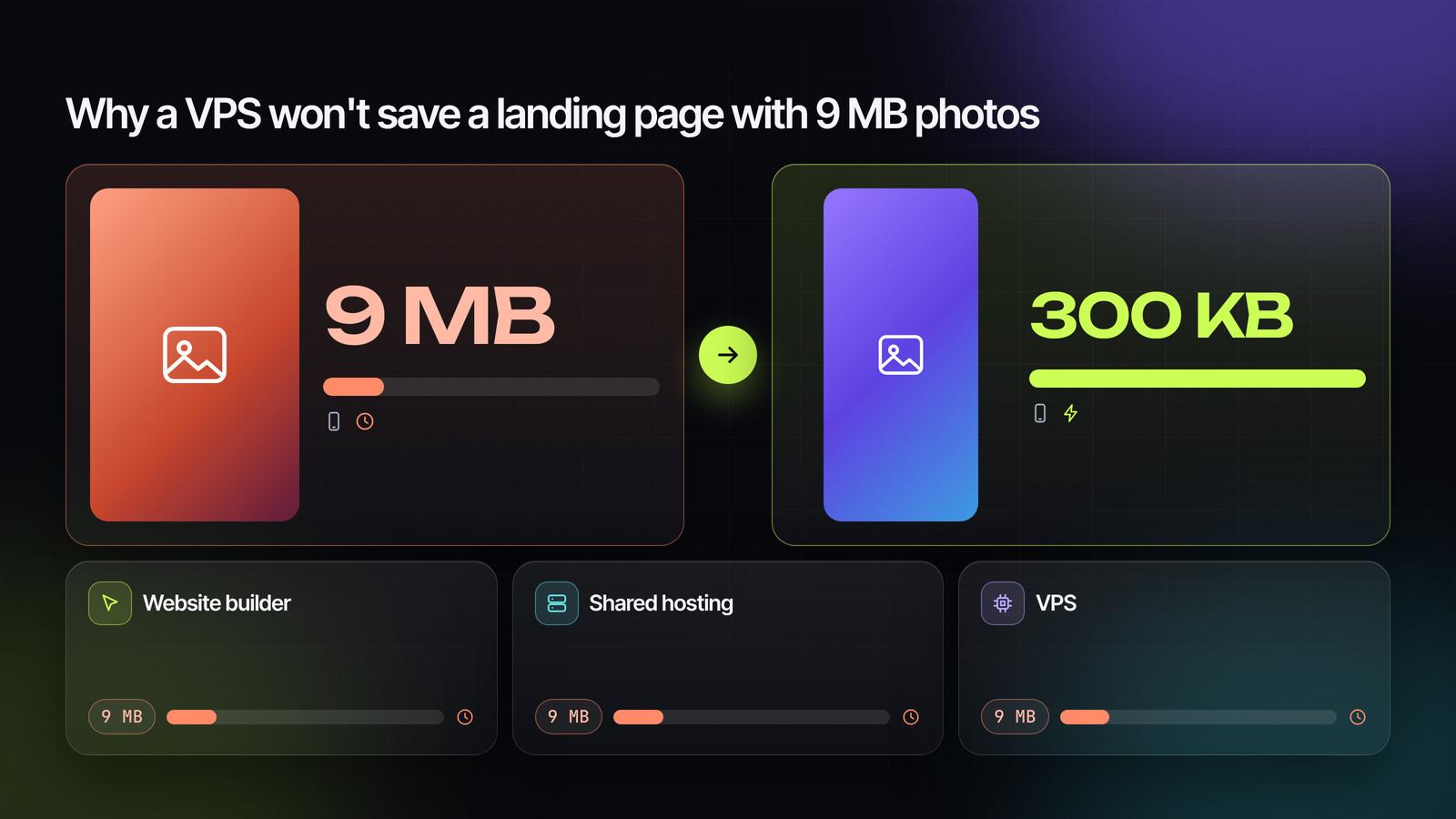
Why a VPS won't save a landing page with 9 MB photos
A common belief is that a site runs faster on its own server. For a large site with thousands of simultaneous visitors, that can be true. For a single page receiving ad traffic, the main problem is usually somewhere else.
According to the Web Almanac 2025 by HTTP Archive, on 76% of mobile pages the largest element on the first screen is an image. That element is what Google uses to measure how quickly the page loaded. If that photo weighs 9 MB, a phone on mobile data will take a long time to load it from any server.
In his 2026 video, Oleksandr compresses such a photo so that every image fits within 300 KB, and checks the result in PageSpeed Insights. Start with three steps: compress your photos, make videos load only when tapped, and remove unnecessary widgets. Only after that does it make sense to think about a more powerful server.
Core Web Vitals in 2026
Google rates a page's speed and usability with three metrics:
-
LCP up to 2.5 seconds: how quickly the main element of the first screen appears;
-
INP up to 200 milliseconds: how quickly the page responds to a tap;
-
CLS up to 0.1: whether blocks "jump around" while the page loads.
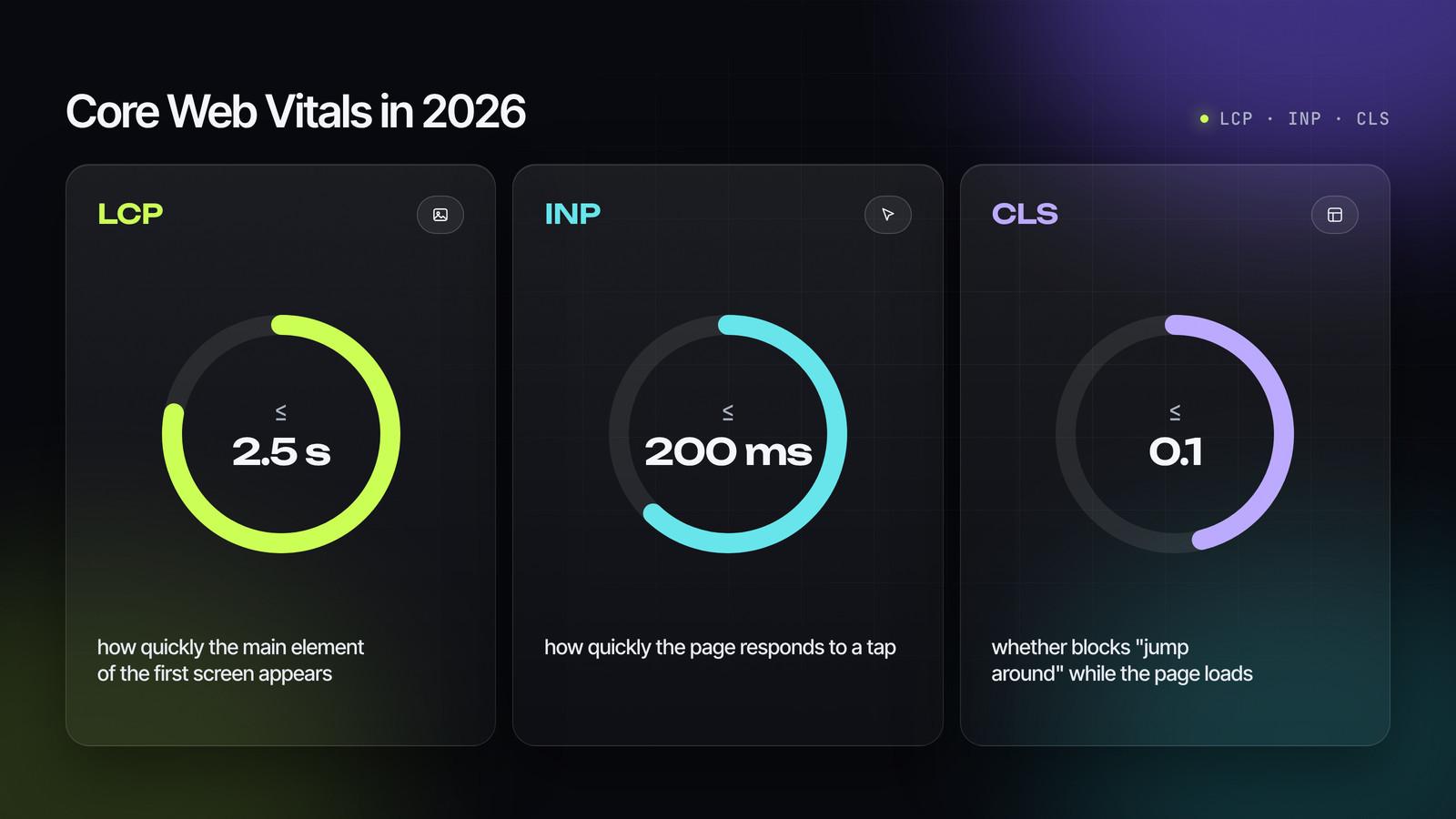
For a page to count as fast, at least 75% of visits must stay within these limits. On phones, only 62% of websites have a good LCP, according to the same Web Almanac 2025 report.
You can check your landing page in PageSpeed Insights on the mobile tab. For a new page, the tool will show a lab test, and data from real visitors will appear once there is enough traffic.
Security and SSL
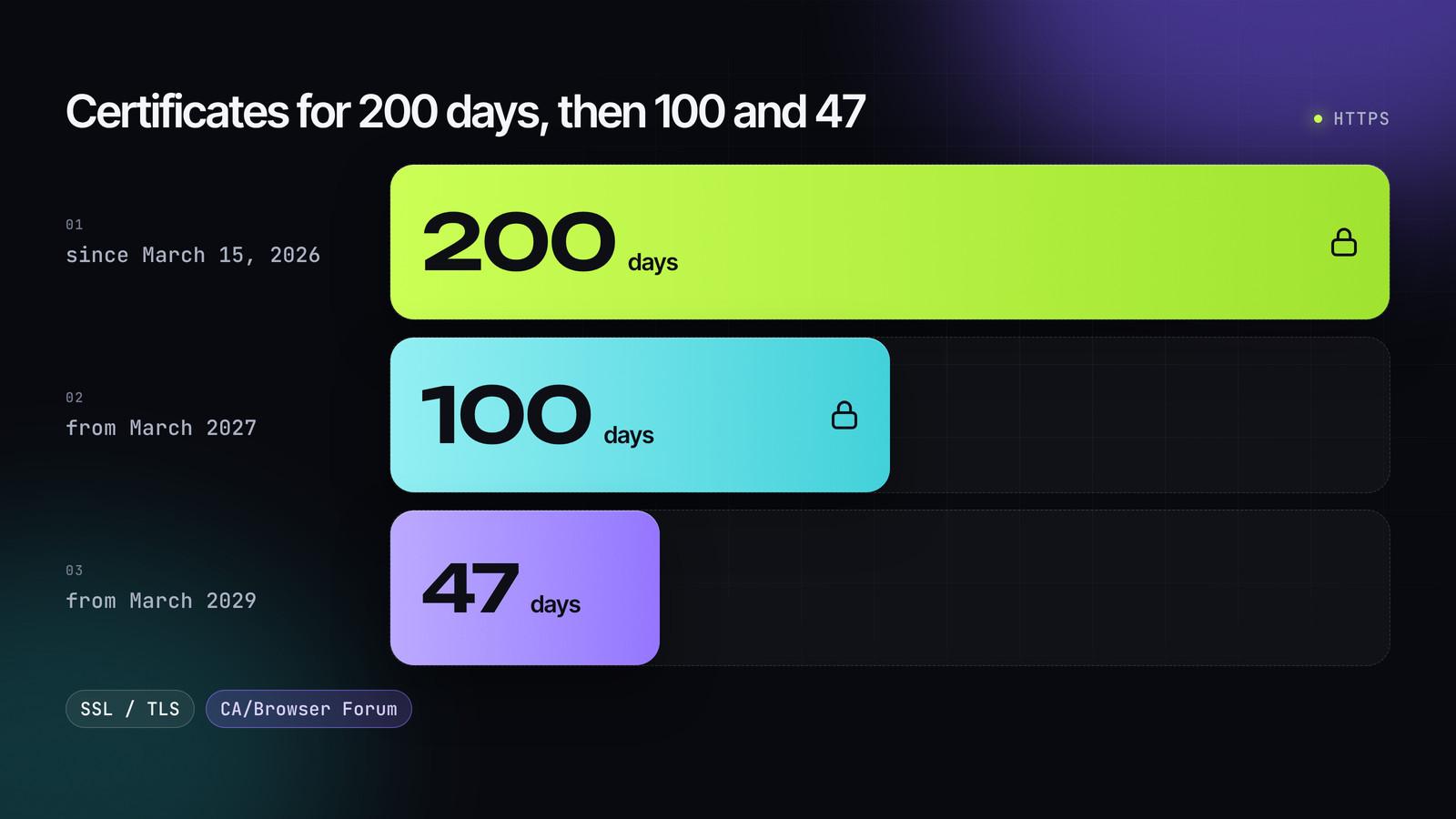
Certificates for 200 days, then 100 and 47
An SSL certificate confirms that the connection to the site is secure. Thanks to it, the address starts with https and the browser doesn't scare visitors with warnings.
Since March 15, 2026, the maximum validity of such a certificate has been cut to 200 days. From March 2027 it will be 100 days, and from March 2029 just 47. The decision was made by the CA/Browser Forum, the body that brings together certificate authorities and browser makers.
What this means in practice:
-
Website builder. The certificate is issued and renewed automatically; you don't need to do anything.
-
Shared hosting. Check whether SSL is free on your plan and whether auto-renewal is on.
-
VPS. Auto-renewal is set up by whoever sets up the server. If nobody does, the certificate will expire sooner or later, possibly in the middle of an ad campaign.
Chrome warnings for sites without HTTPS
Google has announced that Chrome 154, in October 2026, will turn on "Always Use Secure Connections" for all users. Before opening a public site without HTTPS for the first time, the browser will ask for permission. For users of Enhanced Safe Browsing, this has worked since April, starting with Chrome 147.
For a landing page without HTTPS, that means lost clicks: you've already paid for the visit from your ad, and instead of your first screen the person sees a warning. That's why you need HTTPS from day one, whichever of the three options you choose.
Cost: what you pay in money and what you pay in time
| Option | Money | Your time |
|---|---|---|
| Website builder | Often free for one page at the start, then hundreds of UAH a month; plus the domain | Page content and ads |
| Shared hosting | Around $3–6 a month; plus the domain and building the site (a template or a developer) | Updating the CMS and plugins, checking SSL and backups |
| VPS | Around $4–13 or €4–13 a month for the server; plus the domain and the administrator's work | Ongoing maintenance or paying a specialist |
The domain is paid for separately, once a year, whichever option you choose.
With shared hosting and a VPS, the plan itself often turns out to be the smallest expense. The hours spent on setup and maintenance cost more, especially if you count them at a specialist's rate.
Which option suits whom
Website builder
A builder suits you if you sell one or a few products, test new ones, don't have a developer, and want to launch ads in the next few days. The service handles the technical side, and you focus on the offer and the leads.
For a product landing page, you can use LP-MOBI, the builder Oleksandr uses to put pages together in his videos. Hosting, SSL and domain connection are already part of the service, and one page can run on the free plan. The same logic applies to an online store: in his review of an online store builder, Oleksandr shows that hosting and SSL are built in there as well.
Shared hosting
Shared hosting suits you if you already have a site on a CMS, an HTML template, or a landing page exported from a builder. It's also convenient when you run several small sites and want the files to stay with you.
Before paying, check four things:
-
whether SSL is free on your plan and renews automatically;
-
how often backups are made and whether you can restore the site yourself;
-
where the servers are located: servers closer to your audience usually respond faster;
-
whether support works around the clock.
VPS
A VPS makes sense when you need your own software or custom settings on the server, when a multi-page site has outgrown the limits of shared hosting, or when you run many projects and have an administrator.
A simple rule: if nobody on your team can answer the question "who updates the server, and what do we do if it goes down at night?", a VPS isn't your option yet.
How to avoid depending on one platform
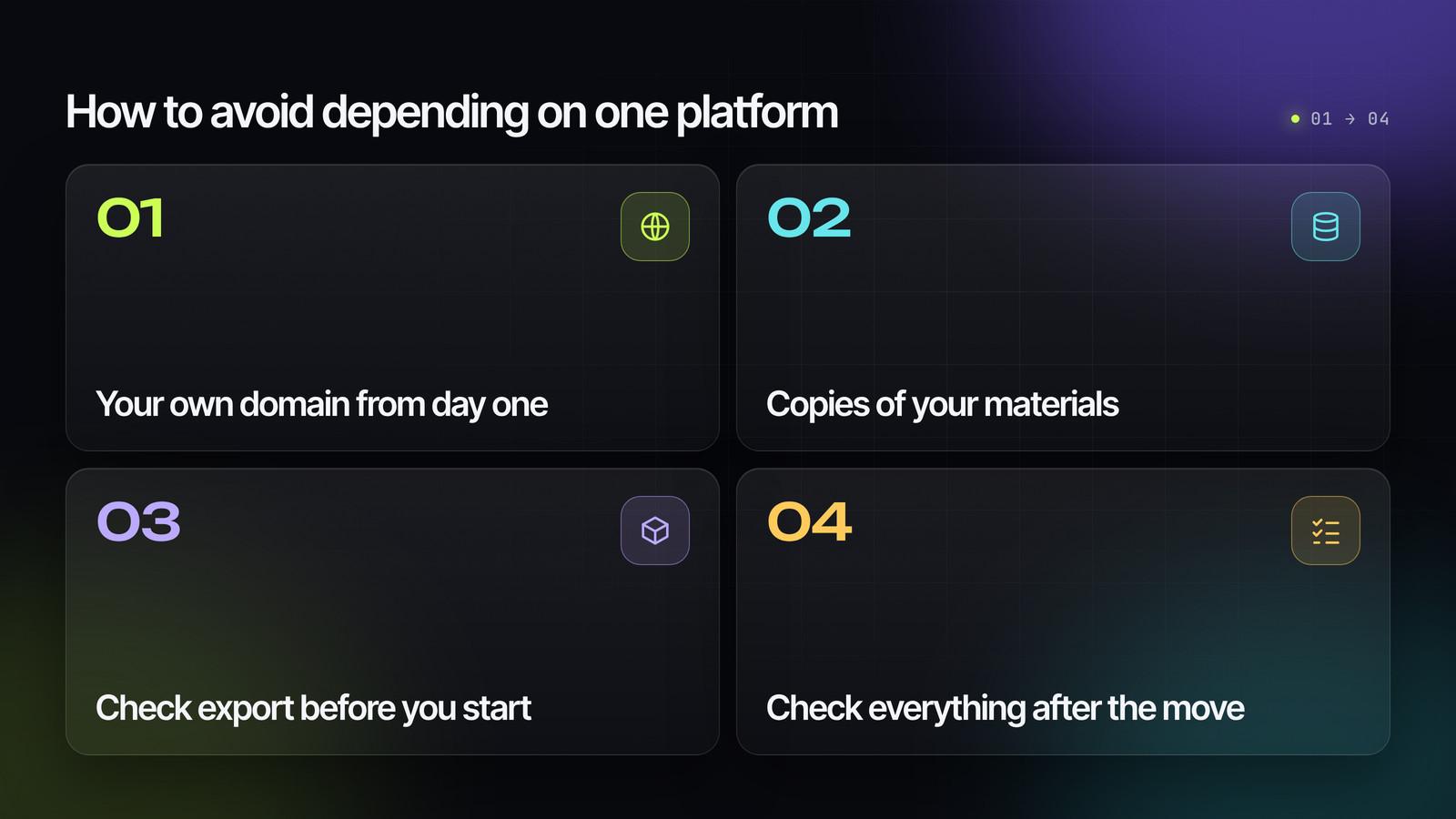
The fear of getting "stuck" in a builder is understandable. A few simple decisions at the start take care of it.
-
Your own domain from day one. Ads, QR codes, reviews and bookmarks all point to your address. If you ever move, you simply point the domain to the new location, and all links keep working.
-
Copies of your materials. Keep your copy, original photos, and a list of pixels and integrations somewhere separate from the service.
-
Check export before you start. Some builders let you download a landing page as files. In a 2023 video, Oleksandr explains that in the builder from his ecosystem this is available on the top plan: that way you can host the landing page yourself or build pages for clients.
-
Check everything after the move. The form, the pixel and lead delivery may depend on the service. At the new location, send a test request and check the pixel events before turning ads on.
Moving makes sense if:
-
you build landing pages for clients;
-
a developer has joined your team;
-
you need features the service doesn't offer;
-
because of the number of pages, the builder's plan now costs more than your own hosting including maintenance.
FAQ
Do I need hosting if I use a website builder?
No. With a builder, hosting is already part of the service, and you only pay separately for the domain. You'll need hosting if you export the landing page or move to your own site.
Which is faster for a landing page: shared hosting or a VPS?
For a single page, the difference is usually small. A landing page's speed depends mostly on photo weight and the number of scripts, so compress your images first and check the page in PageSpeed Insights.
How much does it cost to host a landing page?
With a builder, you can often host one page for free, and paid plans are priced in the hundreds of UAH per month. Entry-level shared hosting costs around $3–6 a month, and the simplest VPS around $4–13 or €4–13, not counting the administrator's work. The domain is paid for separately.
Who is responsible for SSL and security?
With a builder, the service is. On shared hosting, the host protects the server, while you're responsible for the CMS, plugins and passwords. On a VPS, everything from updates to certificate renewal falls on you or your administrator.
Can I move a landing page from a builder to my own hosting?
Yes, if the builder allows export: before you start, check whether it has that feature and on which plan. After the move, check the form, the pixel and lead delivery again.
When do you really need a VPS?
When you need your own software on the server, custom settings, or resources that shared hosting doesn't offer, and you have someone who will maintain the server. For a single product landing page, that's rare.
Where to start
Answer two questions honestly: do you have a ready-made site, and is there someone who will maintain a server? If both answers are "no", launch your landing page in a builder on your own domain and spend your time on the offer. Come back to shared hosting or a VPS when a specific task appears that the builder can't handle.